

Software used:
Suspiria (1977) in Unreal Engine 5
3D Generalist, Environment Artist
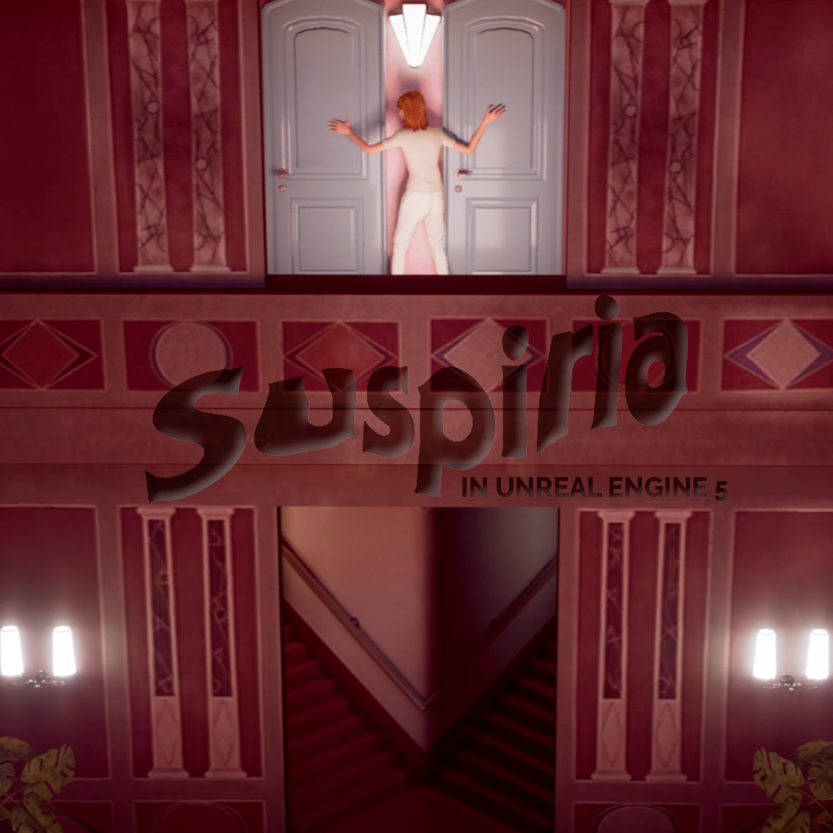
As part of my VFX Postgraduate course at George Brown College, I was given the assignment to recreate a scene from any movie using Unreal Engine. I chose to experiment with Metahuman and Unreal Engine 5 by recreating the iconic ballet school’s main hall from the 1977 Italian horror classic, Suspiria.
The scene’s unique and eerie lighting in the movie inspired me, and I saw it as an exciting challenge to replicate in Unreal Engine.
Below, you can check out the final clip and the behind-the-scenes process that brought this recreation to life:
Recreating the Ballet School from Suspiria in Unreal Engine 5
Gathering References and Modeling the Environment
To start, I collected as much visual information as possible from the movie to accurately model the environment in Autodesk Maya. Fortunately, the set design in Suspiria features relatively simple shapes, so modeling was straightforward. However, due to the director Dario Argento’s use of different lenses in various shots, it was challenging to determine the exact scale and positioning of the walls.
Texturing with Substance Painter and Photoshop
For the texturing phase, I relied on Substance Painter and Photoshop. I took screenshots of the most visible parts of the scene and used Photoshop’s perspective tools to flatten the distorted textures caused by the movie’s lens choices. Afterward, I used Substance Painter to position these textures, carefully ensuring seamless transitions between them. I also created some materials from scratch using Smart Masks and hand-painting techniques.
Assembling the Scene in Unreal Engine 5
With the environment modeled and textured, I began assembling everything in Unreal Engine 5.
I needed a character to complete the scene, so I used MetaHuman to create one resembling a protagonist from the movie. After importing all the assets into Unreal, I set up a camera rig and sequencer to export the final video clip. I also animated the MetaHuman character using the control rig, applied the materials to the surfaces, and created a virtual set to control the lighting.
I had a lot of fun diving into Unreal Engine and connecting my previous experience with other software to this new system. The process was both challenging and rewarding, and I’m excited to continue exploring what Unreal Engine has to offer.